Sell Every Unit Once, and Collect Every Payment on Time
Two reps promise the same flat to two buyers, a channel partner's lead goes cold, and a construction-linked payment slips by three weeks before anyone notices. Install the Real Estate package from the Marketplace and run projects, unit inventory, enquiries, channel partners, payment plans and handovers in one place.
"Our inventory lives in an Excel sheet that's out of date by lunch. Last month two of my reps booked the same 2 BHK. Brokers send us leads on WhatsApp and we can't tell who brought whom, and the CRM team finds out a demand payment is late only when the buyer stops answering."
Each of those problems comes down to one record that nobody trusts: which units are still available, who brought this buyer, which payment is due this week. The package gives each of them one place in SmartLite, and reminds the right person before it slips.
What good looks like
Every unit has one live status that two people can never change at once. Every enquiry gets a call the day it arrives, and partner leads are credited to the partner. Every buyer's payment is reminded three days ahead and marked Overdue the day after.
The package uses the CRM's built-in records wherever a real estate concept already fits, so you also get everything they already do (web forms, lead conversion, duplicate checks, pipelines, cases with SLAs, reports). Only real-estate-specific things are new.
In your business
In SmartLite
Kind
Buyer enquiry (portal, website, walk-in, broker)
Lead
Built-in, real estate fields added
The buyer
Contact and Account
Built-in
A booking in progress
Opportunity
Built-in, real estate fields added
Handover checklist, snags after possession, buyer requests
Case
Built-in, real estate fields added
Site visits
The Site Visits panel and the Calendar
Built-in
Projects, towers, flats/shops/offices, brokers, payment plan steps
Property, Tower, Unit, Channel Partner, Payment Milestone
New (package)
It also installs a Real Estate app, two profiles (Real Estate Sales and Real Estate CRM Ops), a Real Estate Manager permission set, real estate page layouts for those profiles, 7 automation rules and 4 validation rules. Three Setup pages appear once it's installed: Commission Rules, Commission Payouts and Site Visit Outcomes.
Nobody else is affected
Real estate fields only appear on the layouts assigned to the two Real Estate profiles, and the automation only acts on real estate records (for example, a Lead with a Property). Users on other profiles see exactly what they saw before.
An administrator does these six steps once. Do them in order.
Plan needed
The package adds 5 new record types, so it installs on every plan, Trial included. It uses one of your plan's package slots (2 by default): if you already have two packages installed, uninstall one you no longer use, or contact SmartLite support.
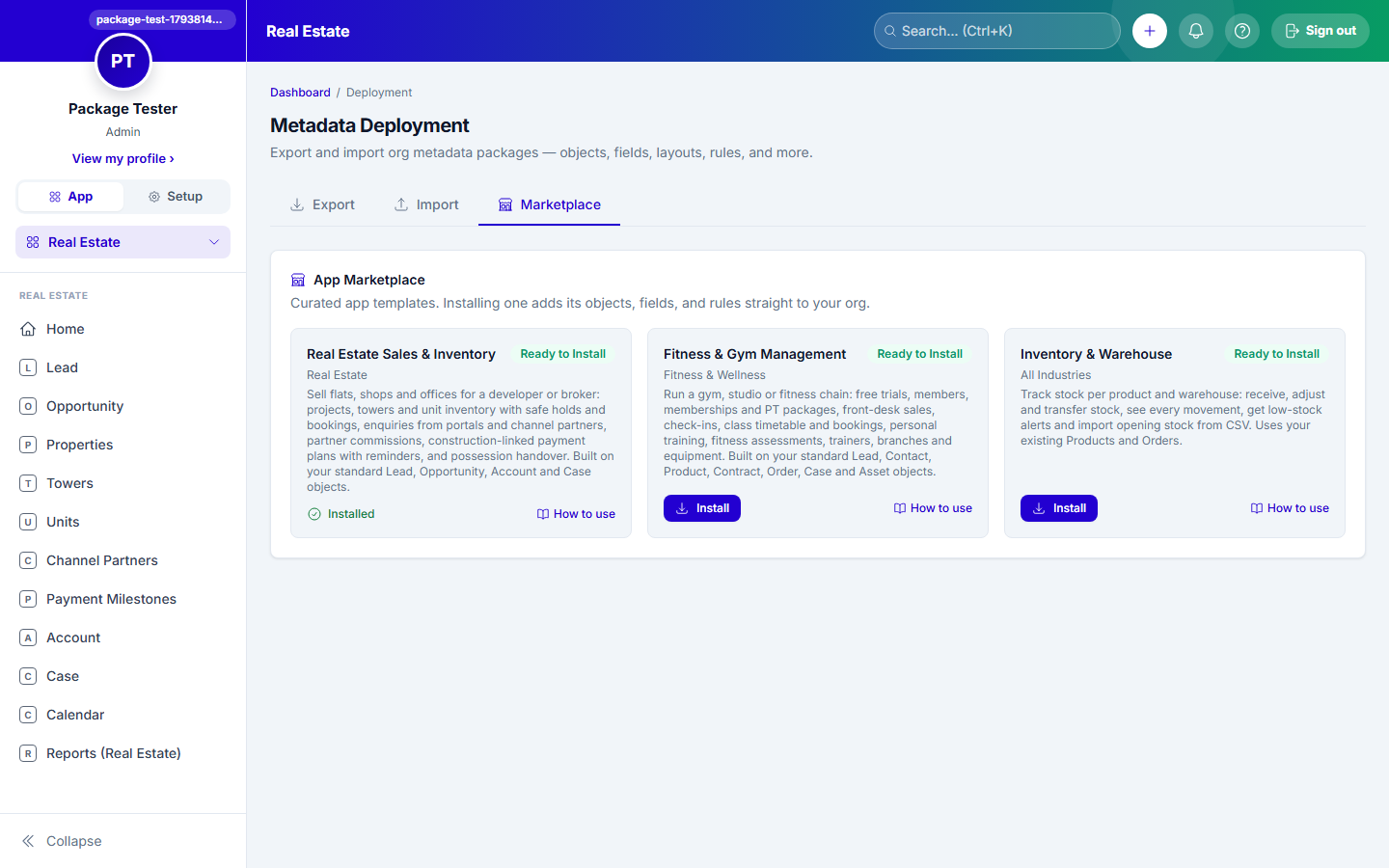
Open the MarketplaceSetup → Deployment → Marketplace tab.
Install "Real Estate Sales & Inventory"Find the card (industry: Real Estate) and click Install. It installs in the background, so you can keep working: the card shows Installing in the background…, and when it's done you get a notification and an email listing what it added, who to give access to, and a link to this guide. The card's How to use link opens this page.
Check the new appOpen the app switcher and choose Real Estate. Its tabs are Leads, Opportunities, Properties, Towers, Units, Channel Partners, Payment Milestones, Accounts, Cases, Calendar and Reports.
Sales and pre-sales staffSetup → Users → open the user → set Profile to Real Estate Sales.
CRM, collections and handover staffSet their Profile to Real Estate CRM Ops.
Sales heads and project managersGive them a Real Estate profile, then Setup → Permission Sets → Real Estate Manager → Assigned Users tab → add them. This lets them see every record, export reports and maintain projects, towers, units, partners and payment plans.
AdministratorsAdmins keep their normal layouts, so they don't see the real estate fields by default. Use one of the "Real Estate … Layout" copies the package created, or add the fields to your own layout in Setup → Object Manager → Lead (or Opportunity, Case) → Page Layouts.
ProjectsProperties tab → New for each project: RERA Registration Number, Project Type, City, Expected Possession Date, GST Number and GST Rate, and Daily Visit Capacity (how many site visits fit in one hourly slot).
TowersTowers tab → New for each tower, block or phase, with its Property and Total Floors.
UnitsUnits tab → New for each flat, shop or office: Tower, Floor, Unit Type, Carpet Area, Facing and Base Price. Every unit starts Available. With many units, import them instead (see the Import / Export trail).
Channel partnersChannel Partners tab → New for each broker or agency: Tier (Standard, Gold, Platinum), phone and email. KYC Status starts Pending; add the PAN Number before setting it to Verified.
Commission by tierSetup → Commission Rules → New: a rate per tier, for all projects or one project. When a deal with a Channel Partner is Closed Won, the package works out the commission from the partner's tier and lists it in Setup → Commission Payouts. Until a tier has a rule, its partners' deals earn nothing.
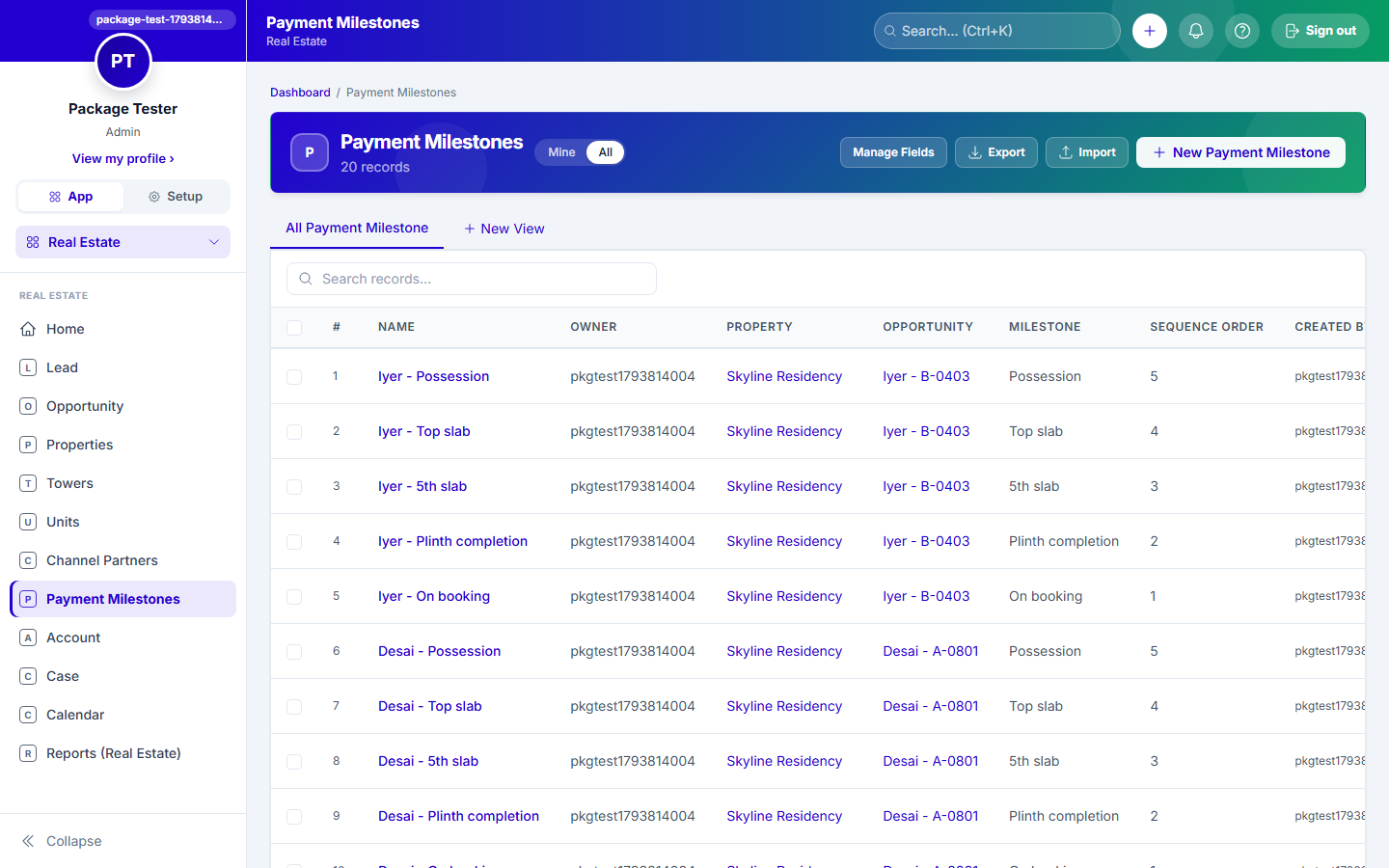
Payment plansPayment Milestones tab → New for each step of a project's plan (On booking, On plinth, On slab…): Property, Milestone name, Sequence Order, and either a Percent of Sale Price or a Flat Amount. Leave Opportunity blank: these rows are the project's template.
Add the property portals to Lead SourceSetup → Object Manager → Lead → Fields → Lead Source → add 99acres, MagicBricks and Housing.com.
Website enquiry formSetup → Web-to-Lead. Include First Name, Last Name, Mobile, Email, Property, Budget and Preferred Unit Type. See the Web-to-Lead trail.
Portal leadsConnect each portal's lead feed as an inbound webhook in Setup → Integrations, so its enquiries arrive as Leads on their own. See the Integrations trail.
Stop duplicate enquiriesSetup → Duplicate Rules on Lead, matching Mobile and Property, so the same buyer asking twice about the same project isn't worked by two reps. See the Data Quality trail.
Carry the project over when a lead convertsSetup → Object Manager → Lead → Lead Conversion Mapping. Map Property → Opportunity Property and Channel Partner → Opportunity Channel Partner, so the deal keeps the project and the partner (the commission needs the partner on the Opportunity).
Site visits on the leadSetup → Object Manager → Lead → Page Layouts → open Real Estate Lead Layout and add the Site Visits component, so reps can book a visit slot from the lead.
All rules are switched on at install. Find them in Setup → Workflow Rules (their names start with "Real Estate:") and adjust the timings to suit you.
Rule
What it does
Real Estate: Call new property enquiry
A call task for the owner the day a lead with a Property arrives
Real Estate: Partner lead source
Sets Lead Source to Partner on a lead with a Channel Partner
Real Estate: Partner commission on won deal
Works out the channel partner's commission when their deal is Closed Won (once per deal)
Real Estate: Collect partner KYC
A task to collect the PAN for a new channel partner
Real Estate: Payment due reminder
A reminder task 3 days before a buyer's milestone is due
Real Estate: Payment overdue
Status → Overdue and a chase task the day after an unpaid due date
Real Estate: Possession approaching
A task to plan handovers 30 days before a project's possession date
The validation rules stop four common mistakes: a partner marked Verified without a PAN, a percent milestone with no percent, a flat milestone with no amount, and a unit marked Sold without its booking.
Add SMS, WhatsApp or email reminders (optional)Once messaging is set up, open "Real Estate: Payment due reminder" in the Journey Builder and add a message to the buyer. See the Workflow Automation trail.
Create the core reportsReports tab → New Report. Useful first reports: Units by Status per Tower; Bookings this month (Opportunities, Closed Won, with Property); Enquiries by Lead Source and Property; Overdue payments (Payment Milestones, Status = Overdue); Partner leaderboard (Opportunities grouped by Channel Partner). See the Reports trail.
Put the numbers on HomeSetup → Home Widgets → add tiles for those reports. See the Dashboard & Home trail.
A new enquiryWebsite and portal enquiries arrive as Leads on their own. For a walk-in or a call, Leads tab → New: name, Mobile, Property, Budget, Preferred Unit Type and Purpose. You get a call task for today.
Book a site visitOn the lead, in the Site Visits panel, choose the Property and a Date, pick a free slot and book it. It shows in the Calendar. After the visit, record how it went; managers see the results in Setup → Site Visit Outcomes.
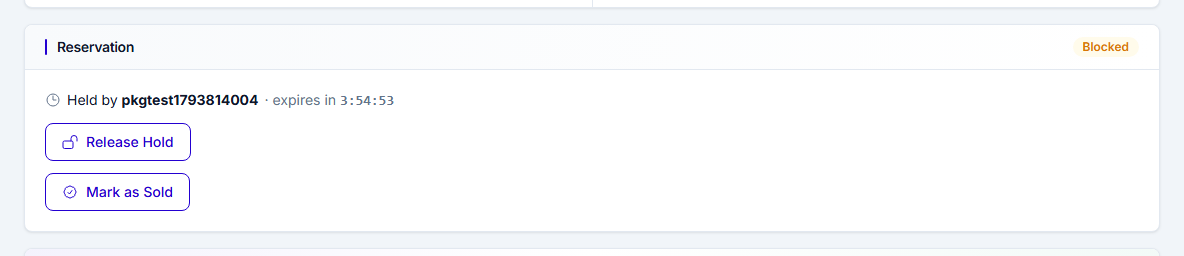
Hold a unitWhen a buyer is interested, open the Unit and click Hold in the Reservation panel. Nobody else can hold or book it while your hold lasts, and the hold ends by itself if you don't book. Click Release Hold if they walk away.
The buyer says yesConvert the lead: this creates the buyer and an Opportunity, carrying the Property and Channel Partner over (step 4 of Implementation). Then on the Unit, under Mark as Sold, pick that Opportunity and click Confirm Sale. The unit becomes Sold and is linked to the deal. A unit that's already sold, or held by someone else, can't be booked.
Close the dealMove the Opportunity to Closed Won. If it came through a channel partner, their commission is worked out from their tier and appears in Commission Payouts.
Set up the buyer's payment planPayment Milestones tab → New for each step of the project's plan, this time with the buyer's Opportunity, the Due Amount, the Due Date and the buyer's phone and email. Each starts Pending.
Before a payment is dueThree days before the Due Date you get a reminder task. Send the demand and set the milestone's Status to Demand Note Sent.
Record the paymentOpen the milestone and fill in Paid Amount, Paid At and Payment Reference, then set Status to Paid. A payment still unpaid the day after its Due Date turns Overdue, with a chase task for you.
Plan handovers30 days before a project's possession date you get a task to plan its handovers. Set each unit that's ready to Ready to Handover, and open a Case for its handover checklist with Request Type Handover, the Unit and the buyer's Account.
Snags and requests after possessionCases tab → New with Request Type Snag (or Documentation, Payment Query) and the Unit, so every complaint is tracked against the flat it's about, with SLAs and queues. See the Case Management trail.
Check your numbersOpen Home for live inventory, bookings, enquiries and overdue payments per project.
Free a stuck unitIf a rep is holding a unit and can't be reached, an admin can click Force Release (Admin) on the unit, or Force Book (Admin) to record a sale made outside the normal flow.
Pay your partnersSetup → Commission Payouts lists what each channel partner has earned; mark each payout as it's paid.
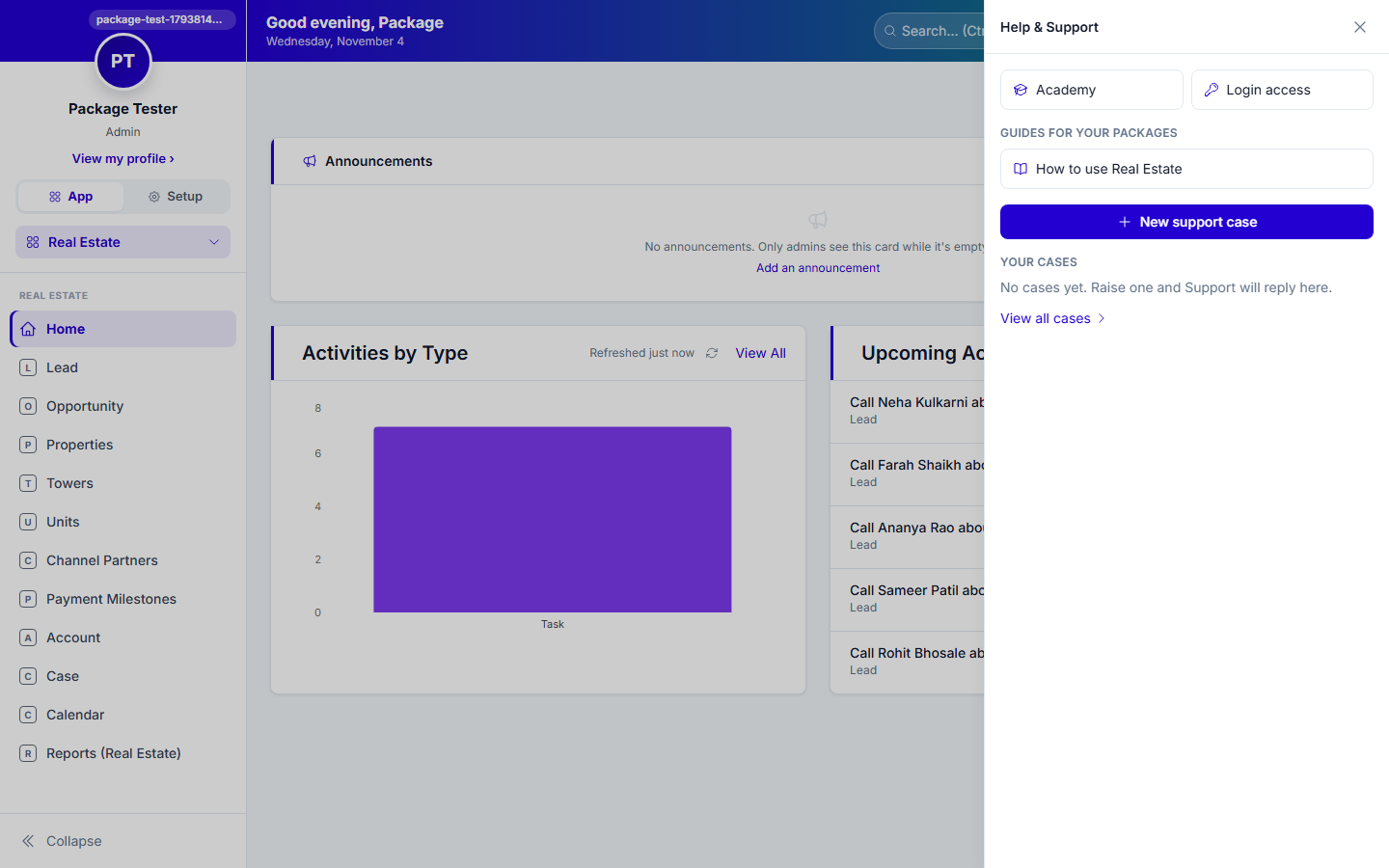
Help is one click awayEvery user can open this guide from the ? next to the bell: "How to use Real Estate" is listed under Guides for your packages.
The help panel (the ? next to the bell)
Good to know
A buyer's payment plan is entered by hand for now, and so is a payment. Demand-note and GST-receipt PDFs, and copying a project's plan to a buyer in one step, are on the way. Commission is calculated only for won deals with a Channel Partner on the Opportunity.